



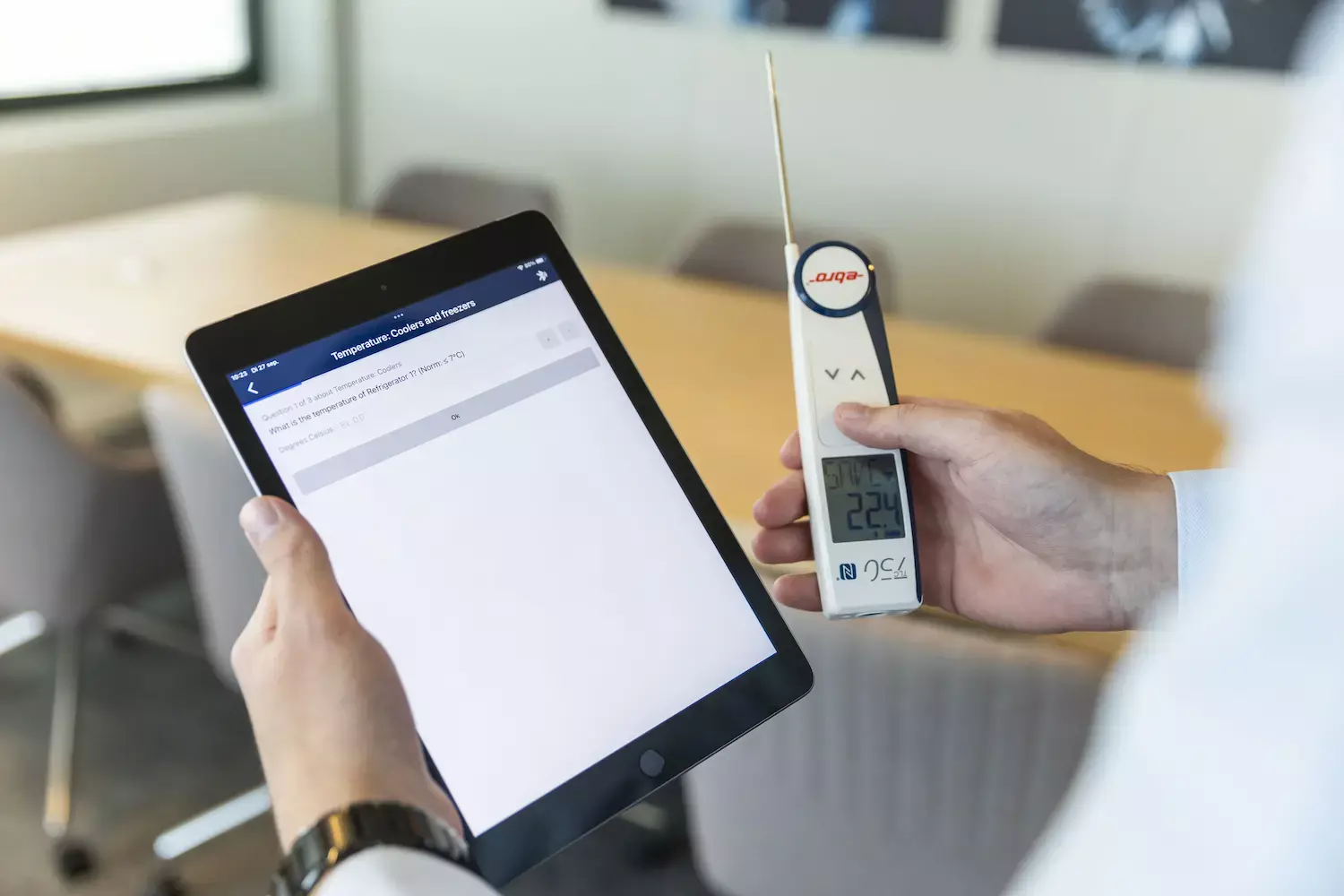
Because “HACCP software” can mean anything from digital checklists to full food safety management platforms, it helps to evaluate options against the realities of Australian compliance, staffing, and site conditions.
What problem should HACCP software solve for Australian businesses?
It should reduce food safety risk by making critical controls easier to follow and harder to skip. It should also reduce admin time by automating reminders, records, and reporting.
If a system only digitises paper without improving follow-through, they may still face missed checks, unclear corrective actions, and messy audit trails. The right tool closes those gaps with structure, prompts, and proof.
Does it support HACCP principles and day-to-day execution?
An effective HACCP Software Australia solution should clearly map hazards, critical control points, critical limits, monitoring activities, corrective actions, verification tasks, and recordkeeping. Most importantly, it should simplify monitoring for staff during busy shifts.
When evaluating HACCP Software Australia, prioritize platforms with templates and workflows that allow checks to be directly linked to CCPs, automatically capture critical limits, and trigger corrective actions when parameters fall out of specification. Without these connections, generated reports can lack depth and fail to provide meaningful compliance insights.
Will it help them meet Australian compliance expectations?
It should help them maintain accurate, retrievable records aligned with their food safety program and relevant state or territory requirements. Auditors typically want clear evidence that monitoring happened as scheduled and that deviations were managed properly.
They should confirm the system can store completed checks, corrective actions, and verification activities in a way that is easy to filter by date, site, product line, and responsible staff member.
How strong is its traceability and recall support?
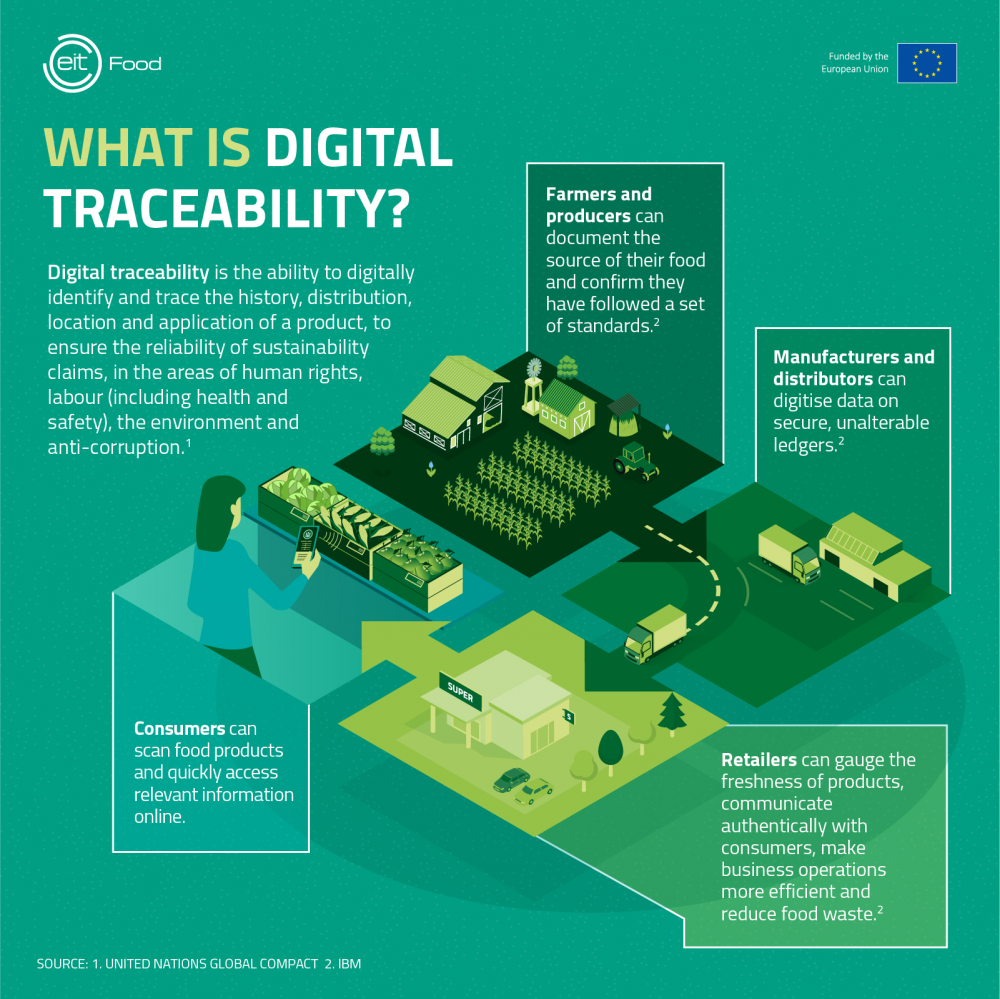
It should help them find affected batches fast and document actions clearly if a recall is needed. Strong traceability features usually include lot and batch capture, supplier and delivery records, and links between production runs and finished goods.
If they rely on spreadsheets for traceability today, they should prioritise software that can connect ingredients, processing steps, and dispatch records. Recall speed often depends on those links, not on fancy dashboards.
Does it work well on the floor, not just in the office?
It should be fast on mobile, tolerant of weak connectivity, and simple for casual or multilingual teams. If it takes too many taps to log a temperature, people will avoid it or backfill later.
They should look for offline mode, big-button interfaces, quick photo capture, and barcode or QR support where relevant. A good test is whether a new staff member can complete a check correctly in under two minutes.
How does it handle alerts, deviations, and corrective actions?
It should detect non-conformances immediately and guide staff through consistent corrective actions. That means real-time alerts, escalation rules, and required fields that prevent “closed without action” records.
They should check whether alerts can go to the right roles by site and shift, and whether the system can force verification steps after corrective actions. Without verification, they may fix the symptom but miss the cause.
Can it prove verification and ongoing compliance, not just monitoring?
It should support verification tasks like calibration, internal audits, cleaning validation checks, and management review logs. Monitoring alone is not enough to show a system is working.
They should look for scheduling, sign-offs, attachments, and trend reporting. If verification records live outside the platform, auditors may see a fragmented program, even if day-to-day checks are solid.
What reporting will auditors and managers actually ask for?
It should generate clear, exportable reports that show compliance over time and highlight exceptions. The best reports answer simple questions quickly: what was missed, what failed, what was fixed, and who approved it.
They should check for audit-ready exports (PDF/CSV), filters by CCP or site, and a clean event timeline for each deviation. If reports require manual cleanup, they are paying to recreate paper pain digitally.
How secure, reliable, and accessible is their data?
It should offer strong access controls, tamper-evident records, and reliable backups. In practice, that means role-based permissions, user activity logs, and clear retention settings.
They should also confirm where data is hosted, how backups work, and what happens if they stop paying. A platform should provide data export and a clear offboarding process, so they are not locked in.
Can it integrate with other systems they already use?
It should reduce duplicate entry by connecting to tools like POS, ERP, inventory, sensors, or training platforms. Integrations are not mandatory, but they matter once they scale or run multiple sites.
They should ask what integrations exist today, what needs custom work, and whether APIs are available. A common win is pulling sensor data for fridges and freezers directly into logs, cutting manual checks.
How easy is it to roll out across multiple sites?
It should support standardisation while allowing local variation. Multi-site businesses often need a shared baseline program with site-specific products, equipment, and schedules.
They should look for central template management, version control, and a way to push updates to all sites. If each site drifts into its own process, they lose consistency and create audit risk.
What should they look for in onboarding, training, and support?
They should prioritise vendors who help configure the system to match real workflows, not just sell licenses. Good onboarding includes template setup, role permissions, alert rules, and a short training plan for floor staff and managers.
They should ask about support hours in Australian time zones, response SLAs, and whether they provide implementation help. Fast support matters most when a site is mid-audit or dealing with repeated deviations.
How should they evaluate pricing without getting surprised later?
They should compare pricing based on locations, users, modules, and storage, not just a headline monthly fee. Some platforms charge extra for audits, advanced reporting, additional templates, or integrations.
They should request a written quote that lists what is included, what costs extra, and how pricing changes as they add sites. A fair contract also includes data export rights and a transparent renewal process.
What quick shortlist checklist helps them choose confidently?
They should choose the platform that staff will actually use, that produces audit-ready evidence, and that scales with the business. A quick shortlist often comes from asking direct, practical questions.
They can use this checklist:
- Can they link checks to CCPs, limits, and corrective actions?
- Does it work offline on mobile and allow fast logging?
- Are alerts and escalations configurable by site and role?
- Can they export audit-ready reports in minutes?
- Are records secure, tamper-evident, and easy to retrieve?
- Does it support verification activities, not just monitoring?
- Can it standardise processes across multiple sites?
- Is onboarding practical, and is support strong in Australia?
- Is pricing clear, including add-ons and scaling costs?
If a vendor can demonstrate these in a live trial using the business’s real workflows, they are usually close to the right choice.
FAQs (Frequently Asked Questions)
What key problems should HACCP software solve for Australian food businesses?
HACCP software should reduce food safety risks by making critical controls easier to follow and harder to skip, while also cutting down administrative time through automation of reminders, records, and reporting. It must go beyond digitising paper processes by providing structure, prompts, and proof to prevent missed checks, unclear corrective actions, and messy audit trails.
How can HACCP software support compliance with Australian food safety regulations?
The software should help maintain accurate, retrievable records aligned with the business’s food safety program and relevant state or territory requirements. It must store completed checks, corrective actions, and verification activities in an easily filterable way by date, site, product line, and responsible staff member to provide clear evidence during audits that monitoring occurred as scheduled and deviations were properly managed.
What features ensure HACCP software works effectively on the production floor?
Effective HACCP software should be fast on mobile devices, tolerate weak connectivity with offline mode, and feature simple interfaces suitable for casual or multilingual teams. Features like big-button interfaces, quick photo capture, barcode or QR code support help ensure ease of use so that new staff can complete checks correctly in under two minutes without avoiding or backfilling data.
How does good HACCP software handle alerts, deviations, and corrective actions?
It should detect non-conformances immediately with real-time alerts and escalation rules targeted to the right roles by site and shift. The system must guide staff through consistent corrective actions using required fields that prevent closing issues without action and enforce verification steps after corrections to ensure root causes are addressed rather than just symptoms.
What traceability and recall capabilities should be expected from HACCP software?
Strong traceability features include capturing lot and batch information, supplier and delivery records, and linking production runs to finished goods. This enables fast identification of affected batches during recalls with clear documentation. Software should connect ingredients, processing steps, and dispatch records to improve recall speed beyond just fancy dashboards.
Why is integration important for HACCP software in multi-site Australian businesses?
Integration reduces duplicate data entry by connecting HACCP systems with existing tools like POS, ERP, inventory management, sensors (e.g., fridge/freezer temperature), or training platforms. While not mandatory initially, integrations become crucial as businesses scale or operate multiple sites. They allow automated data flows such as sensor data feeding directly into logs to enhance accuracy and efficiency.
Click here for about: Food Safety Standards Compliance: Meeting Regulatory Expectations with Software